SN
StoryArc Network
US - Jun 1, 2026
From our perspective
From our perspective, Cannon Studio has consistently demonstrated a strong understanding of what creators need to efficiently manage and execute complex productions. What stands...

Generate images and videos, organize projects, design characters and locations, and build reusable worlds in one connected studio.
With Creator Flow, you can write the story, build the world, generate the shots, and finish in one connected workflow.
Work with the assistant to create and refine your story, or upload a script to start from existing material.
Create characters, locations, looks, and reusable camera language so every shot starts with context.
Turn approved story beats into scenes, shots, voices, and score with fast iteration and director-level control.
Edit in Video Composer, layer narration and music, polish the timing, then export the final cut.
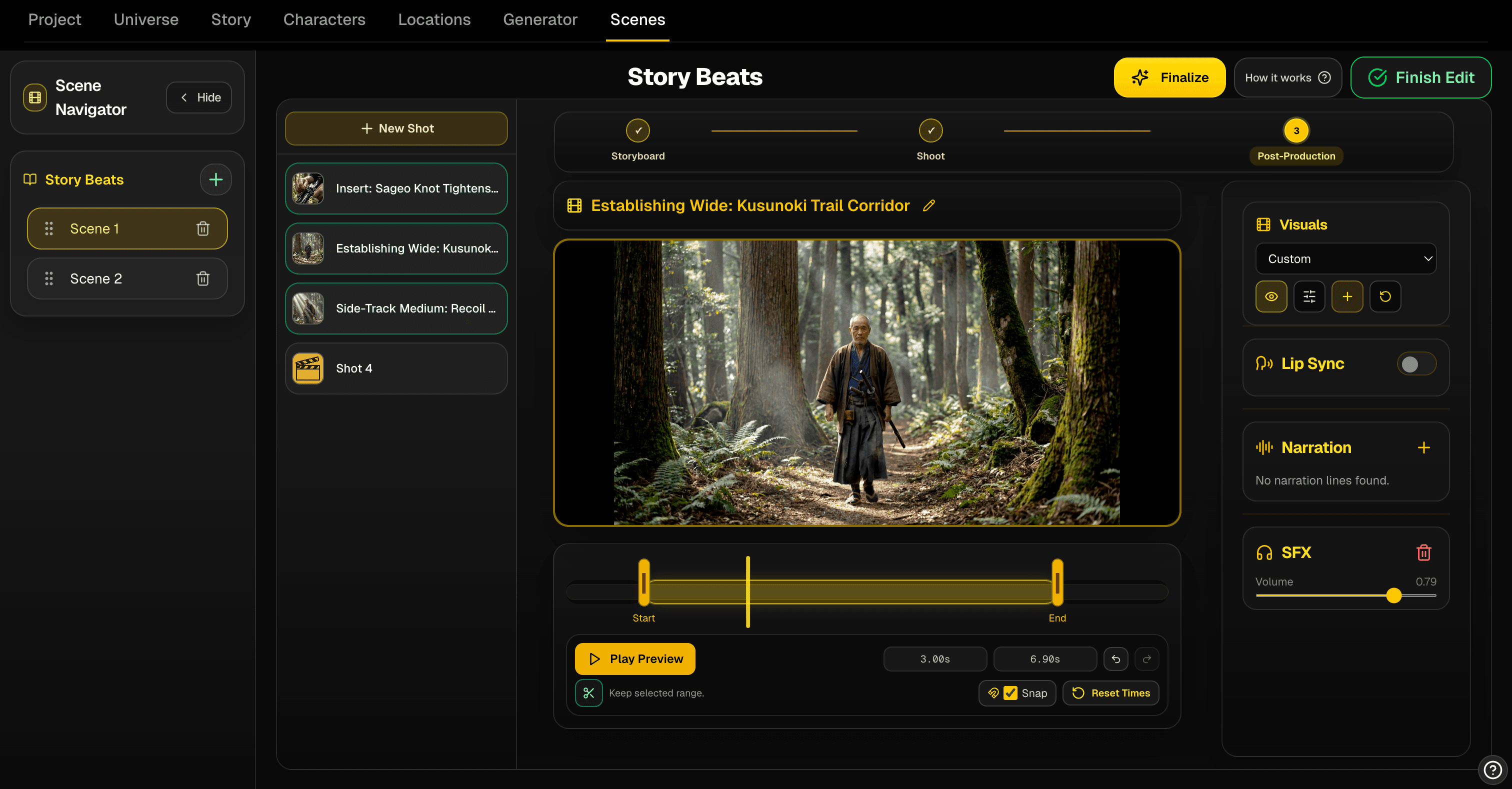
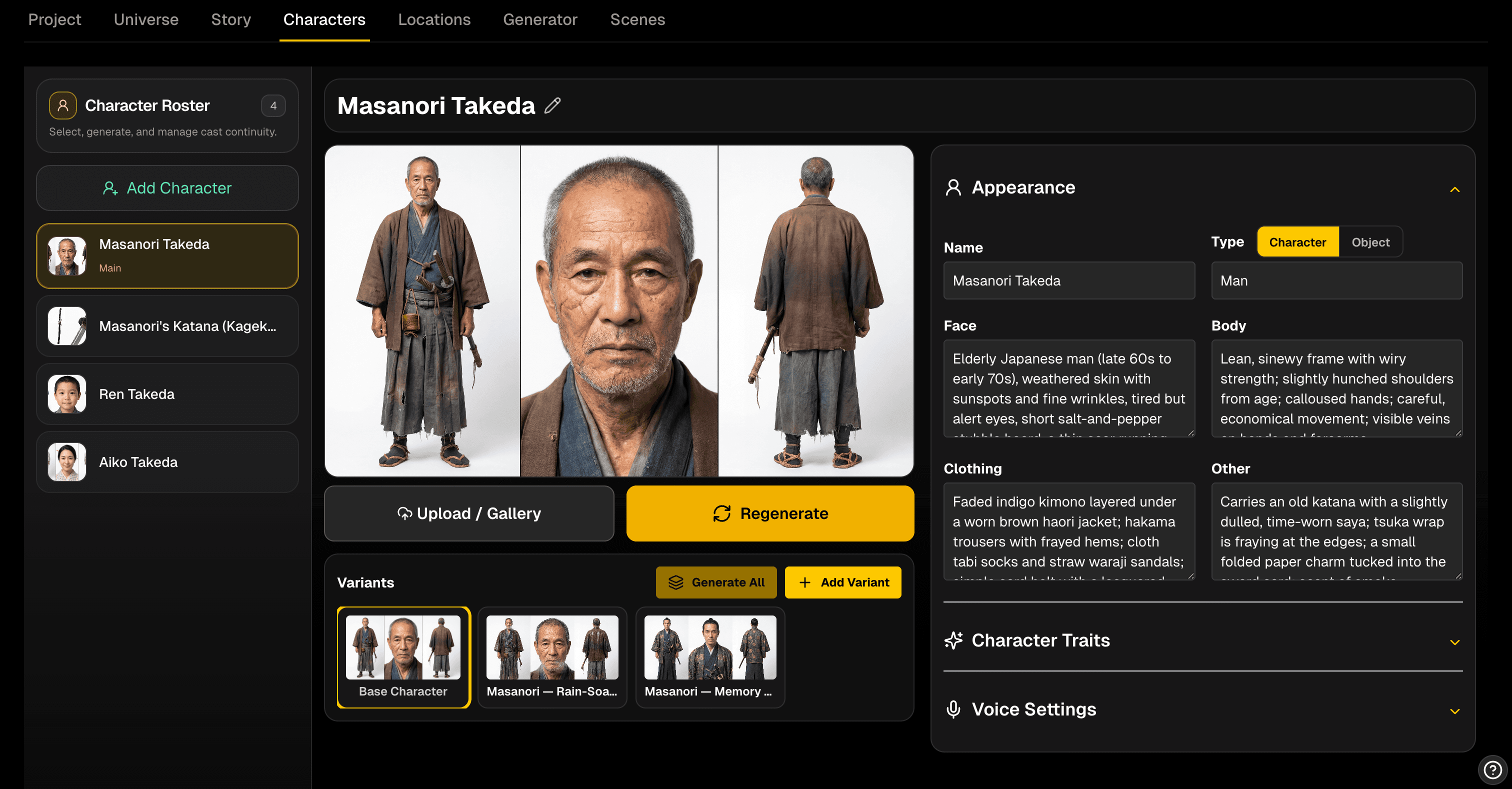
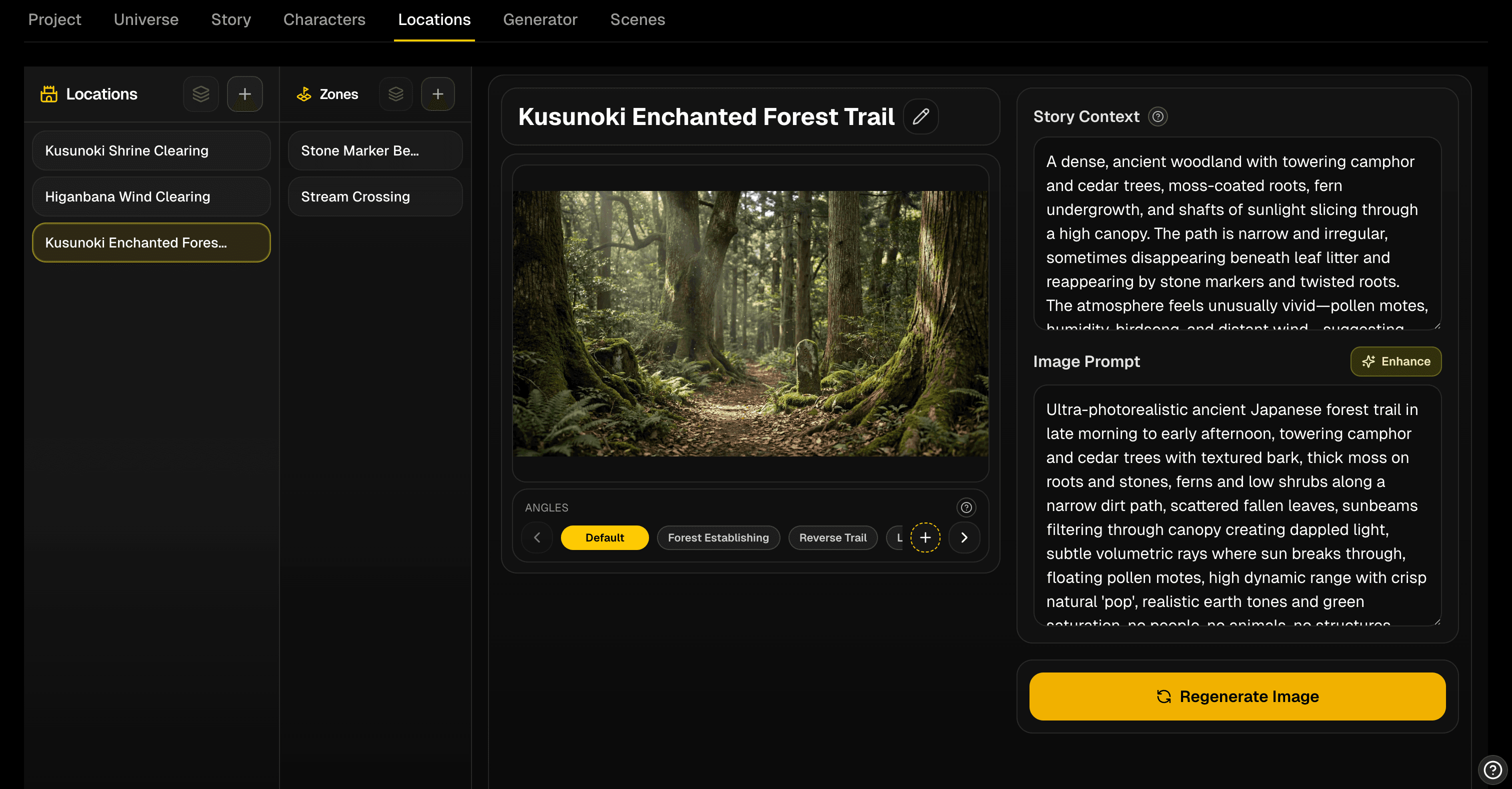
Story, characters, modular outfits and abilities, locations, and reusable camera setups all live in one production context.
Creators are using Cannon Studio to keep their work organized from idea to final output.
World Generator turns saved canon into a production-aware image and video surface. It understands your world assets, character voices and personalities, locations, cameras, style rules, and story context so you can describe the shot instead of rebuilding the references.
Ask for the shot the way you would describe it to a director. World Generator resolves the characters, places, style, and story context from your world.
Build the world once, then generate from saved characters, locations, outfits, abilities, cameras, and visual rules without re-uploading the same references every time.
Reference the cast, props, locations, zones, angles, camera setups, story beats, and style rules that already live inside the project.
Characters can carry more than a look. Their voice, personality, role, relationships, and behavior can shape how prompts are interpreted.
Bring your favorite generations straight into a Timeline to move into the Video Composer or the Creator Flow.

Mobile Companion
Access all of the same cutting-edge tools and workflows from your phone, including image, video, audio, worlds, and Creator Flow projects.

Stage the cast inside a location, choose the camera relationship, and capture a clean composition reference before image or video generation starts.
Stage characters inside the location with clear spacing, screen side, foreground and background depth, and relative scale.
Work out the shot angle, crop, framing, centerline, and coverage before spending credits on image or video generation.
Save a blocking snapshot that tells generation what composition and placement to preserve while final visuals handle quality and style.
| Model | Credits |
|---|---|
| Seedance 2.0 | 8-53 credits / second |
| Google Omni | 13-20 credits / second |
| Kling 3.0 | 8-15 credits / second |
| Veo 3.1 | 4-50 credits / second |
| Grok Imagine 1.5 | 9-15 credits / second |
| Wan 3.0 | 10-20 credits / second |
| HappyHorse 1.1 | 17-29 credits / second |
Watch films and Reels, open the creator profile behind each release, and keep the conversation going in Creator Hub.
Story Arc Network
Watch the dedicated Story Arc Network channel for Cannon Studio releases, creator work, and community updates alongside Cannon TV.
Buy approved worlds, characters, locations, props, outfits, abilities, and cameras with credits. Sellers control the public presentation, can share listings directly to a creator inbox, Creator members can price from free up to generation cost, and Pro members can sell assets on Marketplace for 20% more.
Cannon adds value before the first generation and after the last one, so teams can choose the right content type, reuse worlds and canon, hand work across shared workspace flows, and finish with far less rebuild work on the way to delivery.
Lock the story, cast, locations, and shot intent before generation so every credit goes toward usable output.
Most tools start at prompting, so direction gets rebuilt after generation instead of driving it from the start.
Carry the same world context across images, video, audio, and future scenes so the project actually feels like one production.
Consistency usually breaks between tools, which means teams keep patching identity, style, and story context back together.
Move straight into narration, music, editing, and export inside the same system instead of rebuilding the final cut from scratch.
Most generators stop at clip output, so the hardest part of delivery still happens somewhere else.
Use Cannon when you need continuity across characters, locations, and scenes. Start free, then move into the workflow that matches your production volume.
Explore the studio before your workflow gets serious.
Leave isolated prompting behind and build repeatable projects.
The clearest fit for recurring production and bulk output.
For high-volume creators who need the fastest throughput.
Open the credit calculator to compare what each tier and top-up can get you.
Need shared Creator Flow workspaces, multiple seats, workspace roles, or enterprise billing? Start with the team page and tell us what kind of rollout or collaboration setup you need.
For agencies, internal teams, enterprise rollouts, or high-volume operators who need more than the standard self-serve path.
Evaluating Cannon Studio for your workflow, team, or production goals? Reach out for a demo, questions, or support.