Create AI Video Ads From Brand Context.
Create UGC, product demos, explainers, commercial spots, voiceover, captions, and cutdowns from reusable brand context.
Already have an account? Log in and continue.
Go from offer to campaign-ready variants.
Keep offers, hooks, product context, variants, generation, editing, captions, and delivery tied to the conversion brief.
Start with one offer, product, audience, proof point, and CTA.
Generate UGC scenes, product shots, explainers, hooks, and demos from the same context.
Finish with voiceover, captions, SFX, music, cleanup, compression, and export.
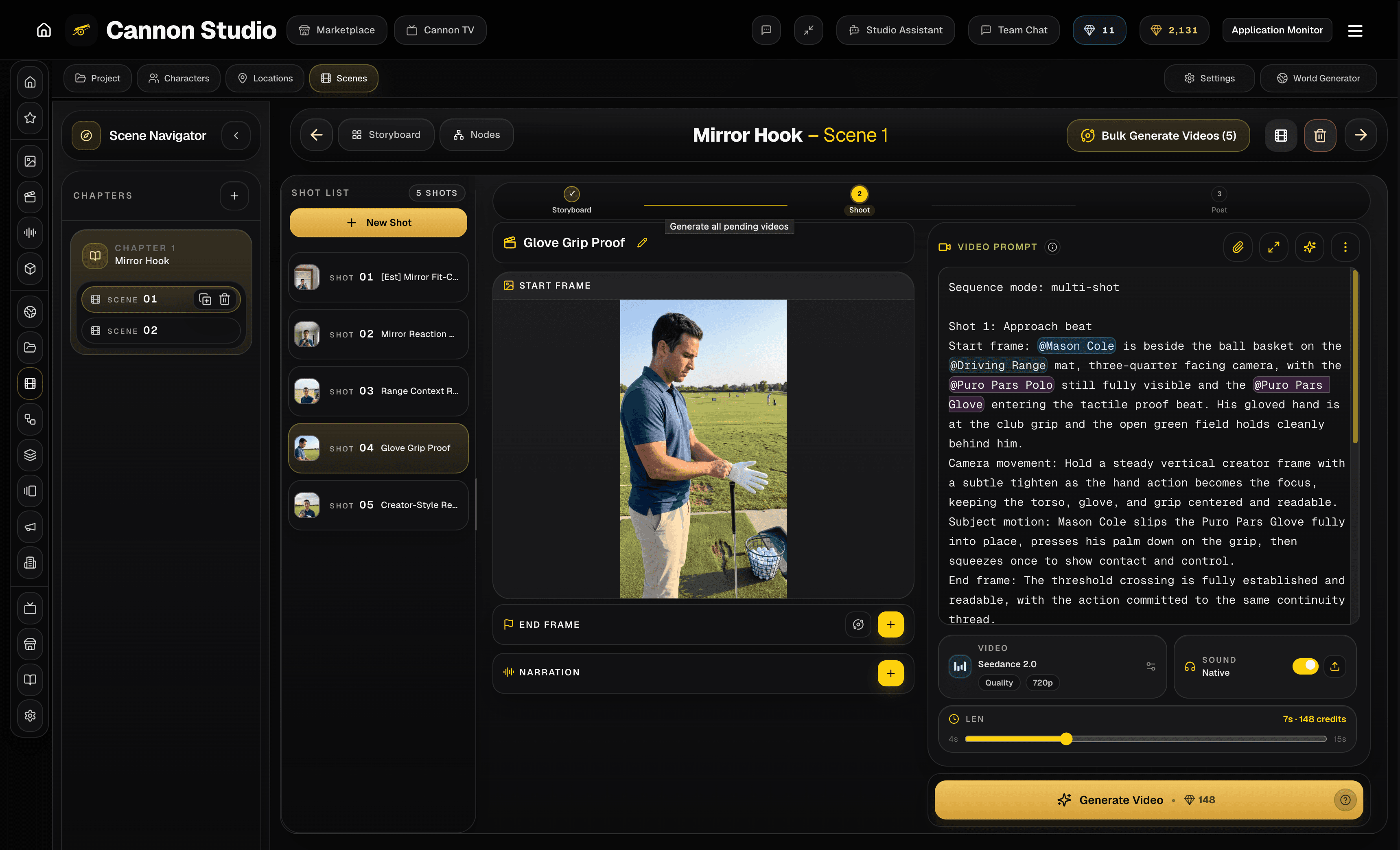
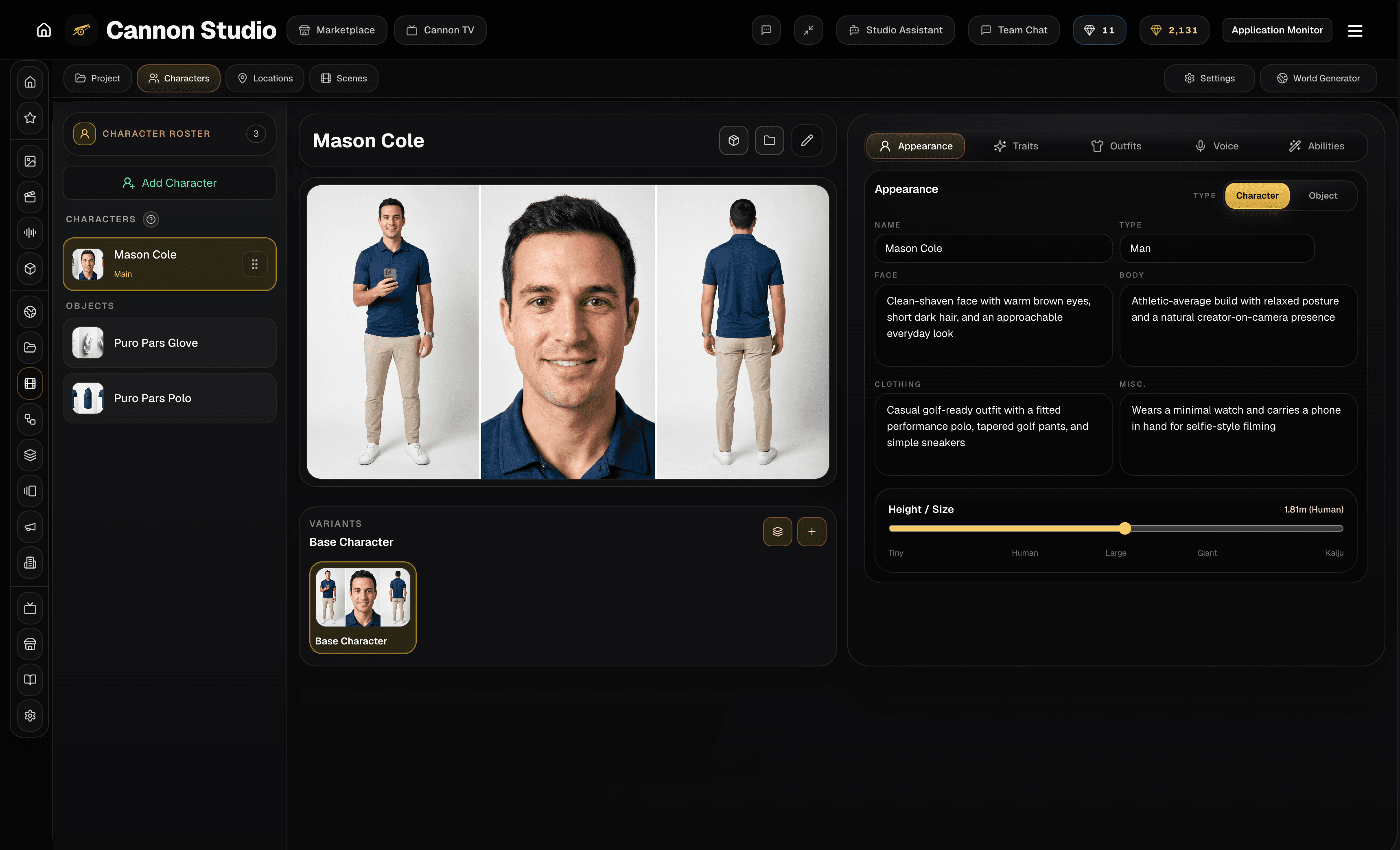
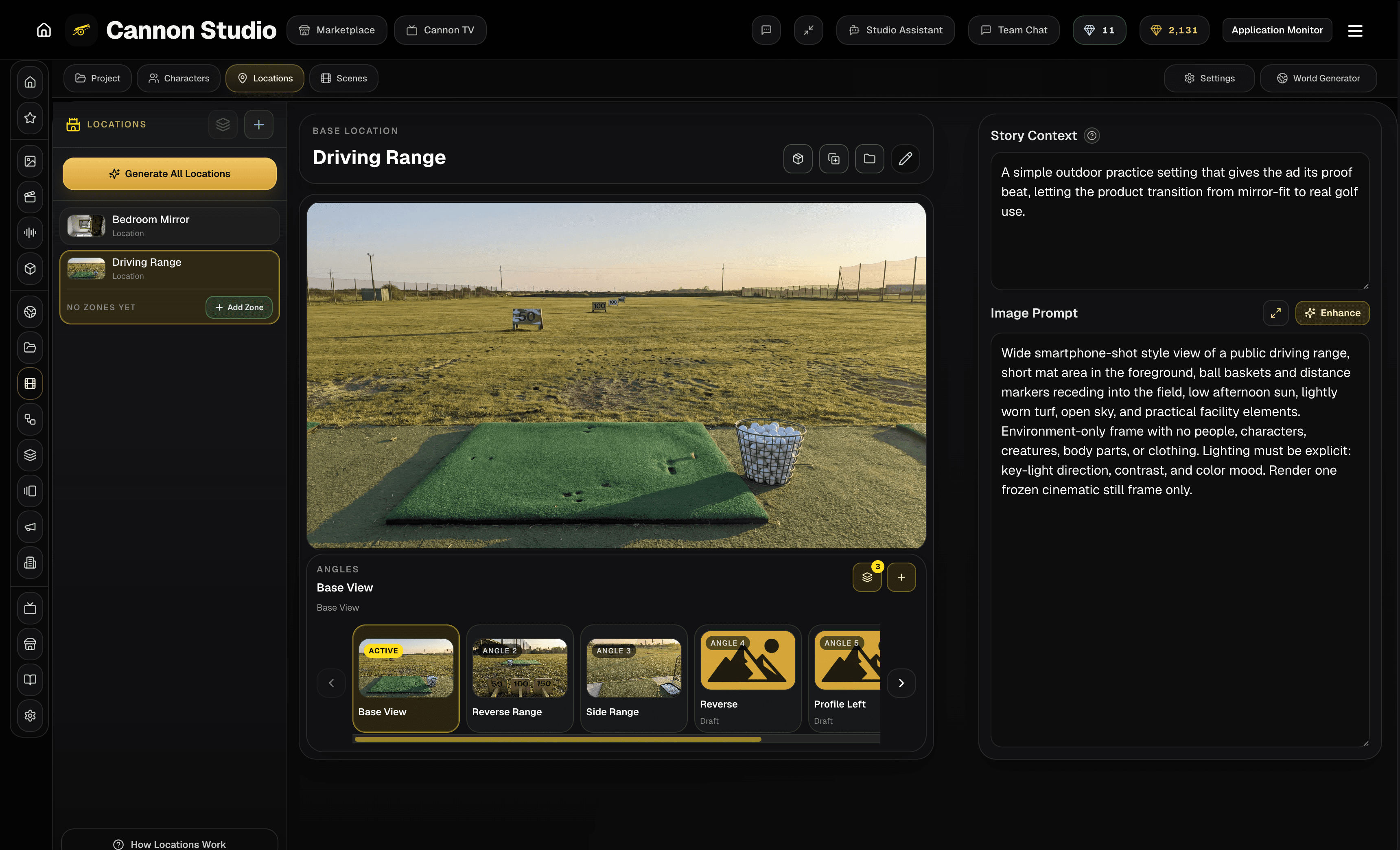
Turn brand context into reusable assets.
Save products, spokespeople, locations, props, visual rules, and campaign context for every variant.
Characters
Reusable identity, wardrobe, personality, role, and reference context for recurring cast or spokespeople.
Locations
Reusable geography, rooms, landmarks, atmosphere, props, and zones so scenes return to a consistent place.
Cameras
Reusable framing, lenses, movement language, and shot families that keep the visual direction consistent.
Stories
Project arcs, chapters, tone, scene intent, and continuity context that guide generation instead of following it.
Reusable canon stays attached to the work.
Assets feed Creator Flow and downstream generation.
World context can support multiple projects and releases.
Generate inside brand context.
Describe hooks, scenes, demos, and product moments while Cannon keeps the saved brief attached.
Prompt naturally
Describe the shot, asset, or sequence in normal production language.
Use saved canon
Pull characters, places, cameras, style, and story context from the world.
Stage a timeline
Add outputs into a Timeline and hand them into Composer or Creator Flow.
Keep iteration connected
Move from experiments into durable project context instead of isolated generations.
Block demos and product shots.
Stage product placement, spokesperson framing, camera angle, and composition before generation.
Stage the cast
Place people, characters, products, or performers inside the scene before committing generation spend.
Choose the camera
Define viewpoint, distance, angle, and composition so the generation has stronger visual direction.
Capture a reference
Use the blocked scene as a clean visual anchor for image, video, and downstream production work.
Access all the latest models.
Video
| Model | Credits |
|---|---|
| Seedance 2.0 | 8-53 credits / second |
| Google Omni | 13-20 credits / second |
| Kling 3.0 | 8-15 credits / second |
| Veo 3.1 | 4-50 credits / second |
| Grok Imagine 1.5 | 9-15 credits / second |
| Wan 3.0 | 10-20 credits / second |
| HappyHorse 1.1 | 17-29 credits / second |
Everything stays in the creative stack.
Generate, edit, caption, add audio, compress, export, and collaborate from one campaign project.
Creator Flow
Story-to-scene project creation with world context, beats, shots, media, and downstream import.
Context Generator
Context-aware image, video, and timeline generation inside the world you already built.
Image Generator
Still generation from prompts, references, styles, camera presets, and model-specific controls.
Video Generator
Text-to-video, image-to-video, references, start/end frames, and model-specific video workflows.
Video Composer
Timeline assembly, smart motion for image beats, clip ordering, finishing passes, and export workflows.
Audio Studio
Music, narration, sound effects, audio engraving, mixing support, and scene-level audio polish.
Post tools
Subtitles, lip sync, compression, converters, crop/rotate, trimmers, extraction, and cleanup utilities.
Teams and API
Team plan paths, collaboration rollouts, developer docs, and API surfaces for advanced operators.
Studio TV
A publishing and discovery surface for finished work, creator profiles, reels, and social review.
Why this replaces scattered tools.
Cannon adds value before generation and after output, which is where isolated AI tools usually break the workflow.
Offer, audience, proof, hooks, and CTA stay attached to every variant.
Prompt docs and generator tabs lose the test hypothesis.
Hooks, demos, product shots, explainers, and cutdowns come from one brand context.
Each asset requires another brief, prompt, edit, and handoff.
Voiceover, captions, audio, cleanup, compression, and export live in the same stack.
Teams stitch together generators, editors, caption tools, and drives.
Plans for creators moving beyond one-off generators
Use Cannon when you need continuity across characters, locations, and scenes. Start free, then move into the workflow that matches your production volume.
Free
Explore the studio before your workflow gets serious.
Starter
Leave isolated prompting behind and build repeatable projects.
Creator
The clearest fit for recurring production and bulk output.
Pro
For high-volume creators who need the fastest throughput.
Open the credit calculator to compare what each tier and top-up can get you.
Need a team or enterprise workspace?
Need shared Creator Flow workspaces, multiple seats, workspace roles, or enterprise billing? Start with the team page and tell us what kind of rollout or collaboration setup you need.
For agencies, internal teams, enterprise rollouts, or high-volume operators who need more than the standard self-serve path.
